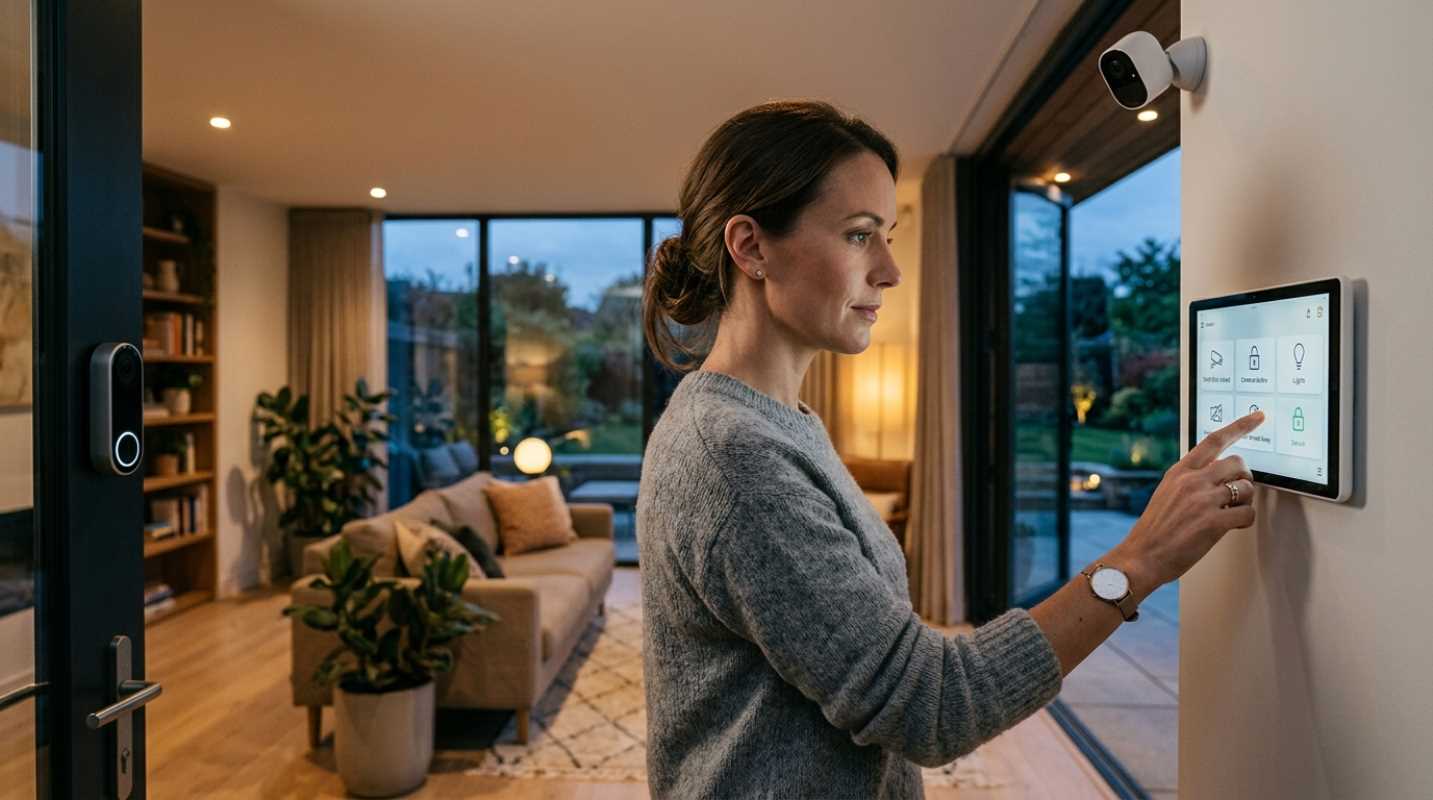
Remember when securing your home meant paying a local alarm company thousands of dollars to run wires through your drywall? You ended up with a clunky wall keypad and a strict three-year contract you could never escape.
Things look completely different today. The shift from rigid wired alarms to integrated smart tech puts you in full control. You can unbox a few sensors on a Saturday morning, attach them with peel-and-stick tape, and monitor your entire property directly from your smartphone before lunch.
So what does "worth the investment" actually mean for your wallet today?
Market numbers show that 51% of home security buyers now prefer installing systems themselves.¹ Most homeowners spend somewhere between $600 and $750 for a full setup. You do not need to spend thousands to sleep well at night. Spending money wisely comes down to picking gear that actively prevents problems rather than just making noise after a break-in happens.
The Eyes and Ears - Smart Security Cameras and Doorbells
If you are building a system from scratch, start at your front door. Outdoor cameras and video doorbells are your primary line of defense. Why? Because porch piracy is an annoying reality for almost half of American households. Around 45% of people reported having a package stolen from their doorstep recently.
When you shop for a video doorbell or security camera, ignore generic specs and focus on features that solve daily headaches.
• Head-to-toe field of view: Standard widescreen cameras cut off the ground near your door. Look for a vertical aspect ratio (like 1:1 or 4:3) so you can see visitor faces and packages sitting on the porch floor.
• On-device AI detection: Basic motion sensors trigger alerts every time a car drives past or a tree branch sways. On-device AI filters out clutter and alerts you specifically when a person or package appears.
• Active deterrence features: Cameras equipped with AI-activated spotlights or automatic voice warnings stop intruders before they break in, rather than just giving you a video of the incident afterward.
• Hardwired vs battery power: Battery units take 10 minutes to mount, but hardwired cameras eliminate battery charging and deliver lower recording latency.
Storage is another area where costs add up fast. Cloud subscriptions usually cost anywhere from $3 to $12 per month for each account. Over three years, that adds up to hundreds of dollars. Buying devices that support local storage, like micro SD cards or local hub hard drives, keeps your footage private and eliminates monthly fees.²
DIY vs. Professionally Monitored Systems
Choosing between self-monitored DIY systems and professional monitoring comes down to your daily routine and living situation.
DIY setups like SimpliSafe or Abode save you between $100 and $300 in professional installation fees right off the bat.³ You buy the hardware, stick contact sensors on your doors, and manage alerts through a mobile app. It is ideal for renters or budget-minded homeowners because you can pack up the hardware and take it with you when you move.
There is a trade-off with pure self-monitoring. Everything relies on your phone. If your phone battery dies, stays on Silent mode, or loses cellular service while you are camping, a break-in alert goes completely unseen.
Professionally monitored systems like ADT or Vivint charge between $35 and $70 every month. In exchange, a dedicated monitoring center watches your home around the clock. If an alarm triggers and you do not respond, agents contact local police or fire departments for you.
Ask yourself a simple question: How often are you away from your phone? If you travel frequently or work long shifts without access to your device, professional monitoring provides real value. If you work from home or keep your phone close by, a self-monitored DIY system delivers plenty of protection for a fraction of the cost.
Mastering Home Monitoring Apps
A security system is only as good as the app on your phone. If an interface feels clunky or takes ten seconds to load a live video feed, you will stop using it.
Your smart security app is your main command center. Look for systems that integrate smoothly with your existing smart home devices, whether you use Amazon Alexa, Google Home, or Apple HomeKit. Simple voice commands like "Alexa, arm the house" or automated routines that lock your smart deadbolts at 10 PM make daily operation effortless.
Managing notifications is equally important. To avoid alert fatigue, take ten minutes during setup to fine-tune your app settings. Set up custom detection zones so your camera ignores the sidewalk in front of your house, and schedule lower sensitivity levels during hours when your family is active in the yard.
Where to Splurge and Where to Save
Building a smart home setup does not require buying every gadget on the shelf. Smart purchasing comes down to knowing where extra dollars make a real difference.
Where to splurge
• Video doorbells with package detection: Preventing package theft gives you immediate daily value.
• Local storage hubs: Higher upfront hardware costs pay for themselves within a year by wiping out cloud subscription fees.
• Primary entry sensors and smart deadbolts: Main access points are where actual break-ins occur most often.
Where to save
• Second-story window sensors: Unless you have a low roof or an adjacent balcony, upper floor windows rarely get targeted.
• Proprietary long-term contracts: Avoid signing multi-year agreements that lock you into rigid equipment setups.
• 1080p widescreen cameras: Older camera formats miss details at night and struggle to capture clear faces or license plates.
Investing in Your Personal Sanctuary
Protecting your home comes down to creating simple deterrence layers that make potential intruders move on to an easier target.
Start small with a solid video doorbell and a modular alarm starter kit. Test the app, see how it fits into your daily routine, and expand your hardware over time. By focusing on practical tech features like AI object detection and local storage, you build a reliable security setup that protects your sanctuary without draining your wallet.
Sources:
1. Security.org - DIY Home Security Study
https://www.security.org/resources/diy-home-security-study/
2. Eufy - Home Security System Costs
https://www.eufy.com/blogs/security-system/home-security-system-costs
3. SafeHome.org - Best Affordable Security Systems
https://www.safehome.org/security-systems/best/affordable/